9 Skills Every Web Designer Needs (and How to Learn Them)
- October 21, 2019
- Web Development
Every web designer needs nine core skills: visual design, UX and UI design, responsive design, Figma, HTML and CSS, accessibility, SEO basics, AI design tools, and communication. The first eight are technical skills. The last one is a soft skill, but it often decides who gets hired and who keeps clients. To see how these skills come together on a real project, follow this guide on how to design a website step by step.
You do not need a degree to learn these skills. This guide explains what each skill means, why it matters, and a simple way to start learning it. At the end, you will find a step-by-step learning roadmap, portfolio tips, and answers to common questions.
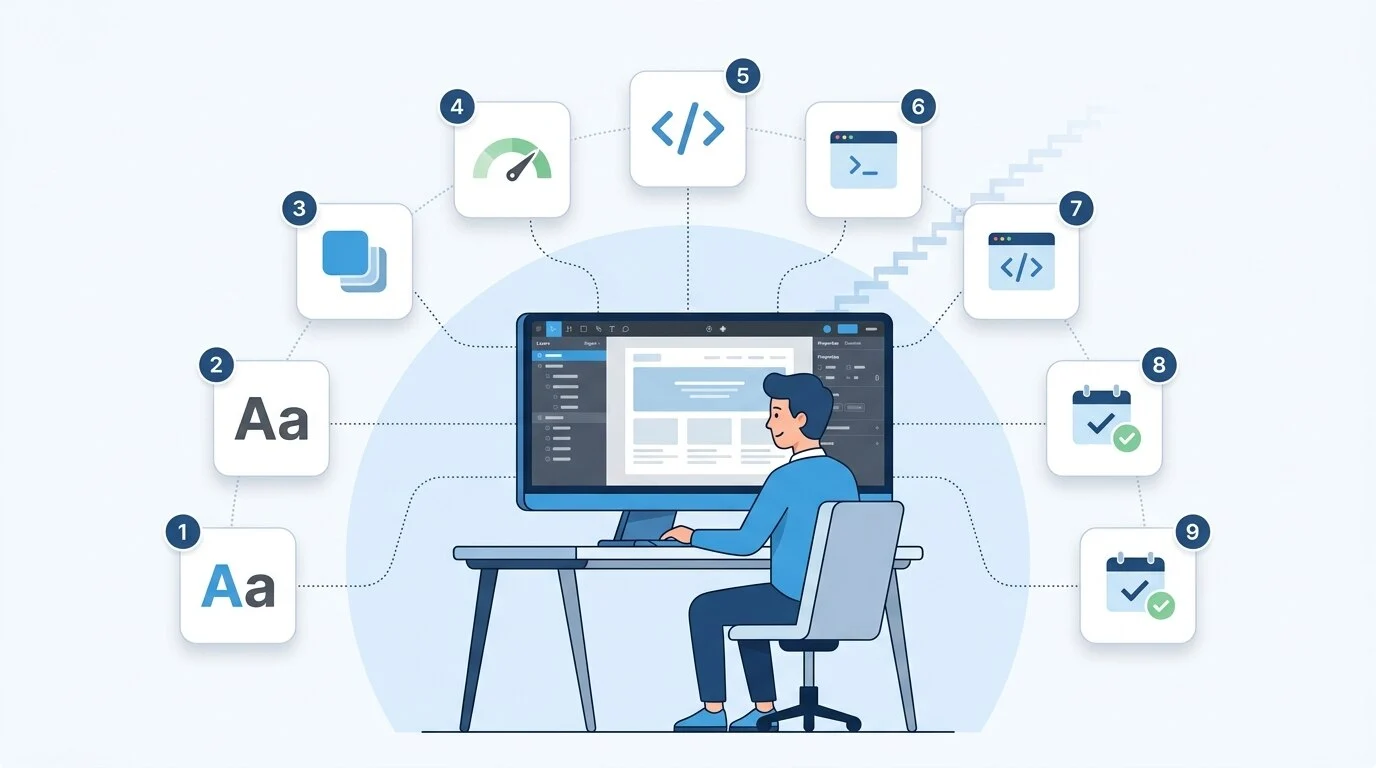
Here are the 9 skills at a glance:
- Visual design
- UX and UI design
- Responsive and mobile-first design
- Figma and design tools
- HTML and CSS (plus basic JavaScript)
- Web accessibility
- SEO and performance basics
- AI design tools
- Communication, time, and client management
What Does a Web Designer Do?
A web designer decides how a website looks and how easy it is to use. They plan layouts, pick colors and fonts, and design pages that guide visitors to take action.
Web developers write the code that makes those designs work. The two roles overlap. Many designers know some code, and many developers know some design.
If you want to see where design ends and code begins, learn some web development basics.
Technical Skills for Web Designers
Technical skills, also called hard skills, are the methods and tools you use to design a site. They cover how a website looks, how it works, and how well it performs.
1. Visual Design
Visual design is how a website looks. It sets the mood and creates the first impression.
The core parts of visual design are:
- Typography: choosing and pairing fonts, and setting sizes and line spacing
- Color theory: knowing how colors work together and how to use contrast
- Grid systems: lining up content in columns so pages feel organized
- Visual hierarchy: making the most important item stand out first
- White space: leaving empty space so content is easier to read
How to learn it: Save screenshots of websites you like and note why they work. Then rebuild one of those layouts from scratch as practice. Make a simple mood board before you start any new project.
2. UX and UI Design
UX stands for user experience. It is how a visitor feels while using a site. Good UX helps people find what they need quickly and without stress.
UI stands for user interface. It covers the parts people click and tap, like buttons, menus, forms, and icons.
UX work usually includes:
- User personas: short profiles of your ideal visitors
- User flows: the path a visitor takes to finish a task
- Sitemaps: a list of pages and how they connect
- Wireframes: simple page sketches made before the visual design
How to learn it: Pick one page on a real website, like a signup or checkout page. Redesign it to make the task easier. Then ask three people to try it and watch where they get stuck.
3. Responsive and Mobile-First Design
Responsive design means a website adjusts to any screen size. Mobile-first means you design for phones first, then expand the layout for larger screens.
This matters because more than half of web traffic now comes from phones. A site that only works well on desktop loses visitors fast.
The key ideas to learn are:
- Flexible grids that resize with the screen
- Breakpoints, the screen widths where the layout changes
- Buttons large enough to tap with a thumb
- Text people can read without zooming
How to learn it: Take a desktop design you like and redesign it for a phone screen first. Then decide what should change as the screen gets wider.
4. Figma and Design Tools
Figma is the standard tool for web design today. It runs in your browser, and a whole team can work on the same file at once.
Learn these Figma features first:
- Frames and Auto Layout: for layouts that resize properly
- Components: reusable parts like buttons, cards, and menus
- Prototyping: linking screens to show how the site will work
- Dev Mode: sharing sizes, spacing, and code details with developers
Photoshop and Illustrator are still useful for editing photos and making graphics. But you no longer need them to design page layouts.
How to learn it: Start with Figma's free plan and its official tutorials. Then design one full homepage for a made-up business using components and Auto Layout.
5. HTML and CSS (Plus Basic JavaScript)
HTML gives a page its structure, such as headings, paragraphs, images, and links. CSS controls how that content looks, including colors, fonts, spacing, and layout.
You don't need to become a developer. But basic code knowledge helps you design things that can actually be built. It also lets you make small fixes yourself.
Focus on these first:
- Semantic HTML tags like header, nav, main, and footer
- CSS Flexbox and Grid for layout
- Media queries for responsive design
JavaScript is a bonus skill. It adds interactive features like sliders, drop-down menus, and form checks. Learn the basics once you feel comfortable with HTML and CSS.
How to learn it: Follow a free, structured course such as MDN's Learn Web Development guide. Then code one simple page based on your own Figma design.
6. Web Accessibility
An accessible website works for everyone. That includes people who use screen readers, keyboards, or screen zoom.
The global standard is WCAG 2.2. In the EU, the European Accessibility Act has made accessibility a legal requirement for many businesses since June 2025. More clients now expect designers to get this right from the start.
Every designer should know these basics:
- Strong color contrast between text and background
- Alt text for meaningful images
- Keyboard navigation for every feature
- A visible outline on selected links and buttons
- Labels on every form field
- Clear link text instead of "click here"
How to learn it: Read the W3C accessibility fundamentals. Then test one of your designs with a free contrast checker and fix every issue you find.
7. SEO and Performance Basics
Many design choices affect search rankings. You don't need to be an SEO expert, but you should know what your design controls. For deeper SEO work, like keyword research and link building, many site owners team up with an SEO agency for small business.
Designers directly affect:
- Heading structure: one H1 per page, then H2 and H3 headings in order
- Image size and format: compressed files in modern formats like WebP
- Layout stability: reserved space for images so the page doesn't jump while loading
- Page speed: fewer heavy animations and fewer font files
Google measures page experience with Core Web Vitals. These check how fast the main content loads, how quickly the page responds to clicks, and how stable the layout stays.
How to learn it: Run a website you like through Google PageSpeed Insights and read the suggestions. Then see how SEO fits into the full process of designing a website step by step.
8. AI Design Tools
AI tools now help designers work faster. Figma and other tools can suggest layouts, create placeholder text, and clean up messy layer names.
AI is good at:
- Quick layout variations
- First drafts of text and images
- Repetitive tasks that take up time
AI still needs a human for:
- Understanding the client's goals
- Keeping the brand consistent
- Judging what works for real users
How to learn it: Ask an AI tool for three layout ideas for one page. Pick the best one and write down why you chose it. This habit trains your design judgment, which is the part AI can't replace.
Soft Skills Every Web Designer Needs
Soft skills are about how you work with people and manage your time. Clients often choose a designer they trust and can talk to easily over one with slightly better technical skills.
9. Communication, Time, and Client Management
This skill combines three habits that make projects run smoothly.
Communication:
- Explain your design choices in plain words.
- Ask clear questions at the start of a project.
- Send short, regular updates so clients never have to chase you.
Time management:
- Break each project into small tasks.
- Set a deadline for every task.
- Track your work in a tool like Trello, Asana, or Jira.
Client and business skills (for freelancers):
- Write clear quotes before you start.
- Agree on the number of revisions up front.
- Keep track of your income and project schedule.
How to learn it: After every project, write a one-page case study. Explain the problem, your process, and the result. This builds your communication skills and your portfolio at the same time.
How to Learn Web Design: A Simple Roadmap
Learning in the right order saves time. Each step builds on the one before it.
- Learn design fundamentals: typography, color, and layout.
- Learn Figma.
- Learn UX basics: personas, user flows, and wireframes.
- Learn HTML and CSS.
- Practice responsive design.
- Add accessibility and SEO basics.
- Build real projects for your portfolio.
How long this takes depends on how much time you can give it. Some intensive full-time courses prepare people for entry-level jobs in about three months. Part-time study often takes around 30 weeks. Self-taught learners usually need longer.
Practice matters more than speed. A few focused hours every week work better than cramming.
How to Build a Web Design Portfolio
Clients and employers hire based on what they can see. Your portfolio shows your skills better than any certificate.
Follow these tips:
- Show 3 to 5 strong projects instead of many weak ones.
- For each project, explain the problem, your process, and the result.
- Include wireframes and sketches, not just finished screens.
- If you have no clients yet, redesign real websites and label them as concept projects.
You can host your portfolio on a website builder or CMS. Compare the best CMS and website builders before you choose one. If you pick a self-hosted CMS like WordPress, learn the main types of web hosting so your portfolio loads fast.
Frequently Asked Questions
Do I need a degree to become a web designer?
No. Many web designers are self-taught or learned through short courses. Clients and employers mostly care about your portfolio and skills. Some larger companies still list a degree in their job posts.
How long does it take to learn web design?
You can learn the basics in a few weeks. Getting job-ready usually takes from a few months to a year, depending on how much time you practice and whether you take a structured course.
Do web designers need to know how to code?
Not always. Tools like Webflow and WordPress let you design without writing code. Still, basic HTML and CSS make you more useful to clients and easier to hire.
What is the difference between UX design and web design?
UX design focuses on how a site works for the user. Web design includes UX but also covers the visual look and layout. On small projects, one web designer often handles both.
Will AI replace web designers?
AI can handle repetitive tasks and quick drafts. It can't understand a client's business, talk to users, or make judgment calls about what works. Designers who learn to use AI tools will likely work faster, not disappear.
What should a beginner learn first?
Start with visual design basics, then learn Figma. Both are quick to start with, and they make every other skill easier to learn.
Ruth Carol is a professional SEO expert providing services concerning to search engine optimization process. She has 10 years long experience with vast knowledge in the field of modern search engine optimization process and is continuing. Her educational background, along with her working experience in this field, enables her to gain ample knowledge in this subject area. She was an active volunteer in google serve program and a regular blog writer subjecting SEO optimization process and special tips. Follow her blogs on seoviser. Besides, she is an active member of the Chang Mei International SEO Conference. Furthermore, she is the founder of SEO Viser, which is an SEO agency providing SEO solutions all over the world. She aims to help companies ranging from small to big to develop a long-lasting solution to rank their site. Apart from that, she provides consultancy services related to search engine optimization and contributing to social media and online platforms like Fiverr, Upwork, etc. To know more about her services and anyone can visit seoviser or simply email her through her website. She is a great mind and loves to share knowledge. Contact her at seoviser.
OUR SERVICES
Request a free quote
We offer professional SEO services that help websites increase their organic search score drastically in order to compete for the highest rankings even when it comes to highly competitive keywords.
More from our blog
See all posts