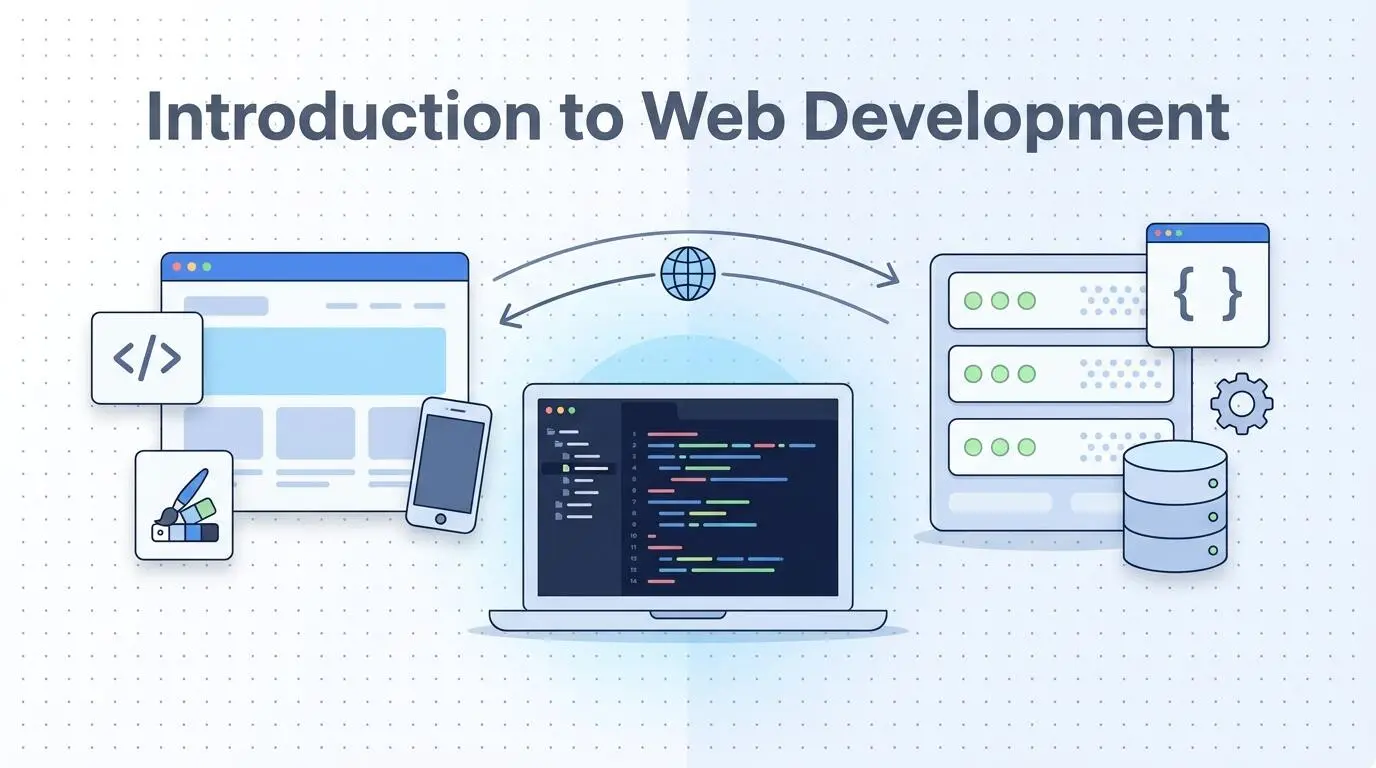
Web development is the work of building websites and web applications. It has two main parts. Front-end development builds what visitors see and click, using HTML, CSS, and JavaScript. Back-end development runs behind the scenes, using servers, databases, and languages like PHP, Python, or Node.js. Developers who do both are called full-stack developers. Once you know how the code side works, it is much easier to follow how to design a website step by step.
This guide explains how websites work, the main languages and tools, and how web development differs from web design. You will also find a simple learning roadmap and answers to common beginner questions.
What Is Web Development?
Web development is the process of creating, building, and maintaining websites and web apps. It covers everything from a simple one-page site to large platforms like online stores and social networks.
There are two kinds of projects:
- Websites: mostly share information, like a business site, blog, or portfolio.
- Web applications: let users do tasks, like shop, book, log in, or send messages.
The line between the two is blurry. Many business sites now include app features, like booking forms and customer accounts.
How a Website Works
Every website works through a simple exchange between two computers: a client and a server.
- You type a web address into your browser. The browser is the client.
- The domain name system (DNS) finds which server holds that website.
- The browser sends a request to that server.
- The server sends back the page files: HTML, CSS, JavaScript, and images.
- Your browser turns those files into the page you see.
The server is the computer that stores your website and delivers it to visitors. Every live website needs one, and that is what hosting gives you. If you are not sure which option fits a new site, compare the main types of web hosting.
The Three Types of Web Development
Web development splits into front-end, back-end, and full-stack work. Each one focuses on a different part of the website.
Front-End Development
Front-end development, also called client-side development, builds everything a visitor sees and interacts with. That includes the layout, text, images, buttons, menus, and forms.
A front-end developer makes sure the site looks right on every screen size. They also make sure it loads fast and works for people using keyboards or screen readers.
Back-End Development
Back-end development, also called server-side development, handles what happens behind the scenes. It stores data, runs the logic, and sends the right content to each visitor.
Here is a simple example. When you log in to an online store, the back-end checks your password, finds your order history in a database, and builds a page just for you. Nobody edits that page by hand.
Full-Stack Development
A full-stack developer works on both the front-end and the back-end. They can build a complete website on their own, from the database to the buttons on the screen.
Many beginners start with the front-end, because you see results right away. Then they add back-end skills over time.
Front-End Languages: HTML, CSS, and JavaScript
Every web page uses three core front-end technologies. Each one has a clear job.
HTML
HTML (HyperText Markup Language) gives a page its structure. It tells the browser what is a heading, a paragraph, an image, a link, or a form. Every page on the web is built on HTML.
CSS
CSS (Cascading Style Sheets) controls how the page looks. It sets colors, fonts, spacing, and layout. CSS also makes pages responsive, so they adjust to phones, tablets, and desktops.
JavaScript
JavaScript adds behavior. It powers drop-down menus, image sliders, live search, form checks, and content that updates without reloading the page. It is one of the most used programming languages in the world.
Front-End Frameworks
Once you know the basics, frameworks help you build larger projects faster. They are collections of ready-made code you build on top of. Popular choices include:
- React
- Vue
- Angular
- Svelte
Learn plain HTML, CSS, and JavaScript first. Frameworks make much more sense once you understand what they do for you.
Back-End Languages and Databases
The back-end has more language choices than the front-end. Most of them can do the same jobs, so pick one and learn it well.
| Language | Common use |
|---|---|
| PHP | Powers WordPress and many content sites |
| Python | Web apps, data work, and AI tools (frameworks: Django, Flask) |
| JavaScript (Node.js) | Lets you use one language on both front-end and back-end |
| Ruby | Fast app building with Ruby on Rails |
| Java | Large business and enterprise systems |
| C# | Business apps built with ASP.NET |
The back-end also uses a database to store information like user accounts, products, and blog posts. Common databases include MySQL, PostgreSQL, and MongoDB.
Front-end and back-end talk to each other through APIs. An API is a set of rules that lets one program ask another for data. For example, a weather widget on a site uses an API to fetch the latest forecast.
Tools Every Web Developer Uses
You don't need expensive software to start. Most web development tools are free.
- Code editor: where you write code. Visual Studio Code is the most popular choice. It has been the most used developer environment in the Stack Overflow Developer Survey for five years running.
- Web browser and DevTools: every modern browser has built-in tools to inspect and test pages.
- Git and GitHub: Git tracks changes to your code. GitHub stores your code online and lets you share it.
- AI coding assistants: tools that suggest code and explain errors. They help you learn faster, but always check what they write.
Web Design vs Web Development
Web design decides how a site looks and how easy it is to use. Web development turns that design into a working website with code.
A web designer works on layouts, colors, fonts, and user experience. A web developer writes the code that makes those designs work in a browser.
The two roles overlap a lot. Many designers know some HTML and CSS, and many developers understand design basics. If the visual side interests you more, read about the skills every web designer needs.
Do You Need to Code to Build a Website?
No, not always. A content management system (CMS) or a website builder lets you create a site without writing code. WordPress, Wix, Squarespace, and Shopify are common examples.
These tools work well for blogs, business sites, and small online stores. Code becomes important when you need custom features, unusual designs, or a large web app.
Even if you use a CMS, basic code knowledge helps you fix small problems yourself. To compare your no-code and low-code options, look at the best CMS and website builders.
How to Learn Web Development Step by Step
Learning in the right order keeps things simple. Each step builds on the one before it.
- Learn how the web works: browsers, servers, and domains.
- Learn HTML and build a simple text page.
- Learn CSS and style that page.
- Make the page responsive for phones.
- Learn JavaScript basics and add simple interactions.
- Learn Git and put your code on GitHub.
- Pick one back-end language and connect a small database.
- Learn one front-end framework, like React or Vue.
- Build real projects and publish them online.
For free, well-organized lessons, start with MDN's Learn Web Development guide. It is written by the team behind the Firefox browser and covers each step above.
Build small projects as you go, like a personal page, a to-do list app, or a simple blog. Projects teach you more than videos alone.
Why Speed and SEO Matter in Web Development
Good code affects how well a site ranks on Google. Search engines prefer pages that load fast, work on phones, and have a clear structure.
Developers control many of these factors:
- Clean HTML with one H1 and logical headings
- Compressed images in modern formats like WebP
- Fast load times and stable layouts
- Mobile-friendly, responsive pages
- Readable URLs and working internal links
Developers build the technical base, and SEO specialists build on top of it. Many growing businesses pair their developer with a modern SEO company to turn a fast, clean site into steady search traffic.
Frequently Asked Questions
Is web development hard to learn?
The basics are beginner friendly. You can build a simple page with HTML and CSS in a few days. Advanced topics like back-end systems and frameworks take longer, but you can learn them one step at a time.
How long does it take to learn web development?
Most beginners learn HTML, CSS, and basic JavaScript in a few weeks to a few months. Becoming job-ready usually takes several months to a year of steady practice, depending on how much time you put in.
Should I learn front-end or back-end first?
Most people start with the front-end. You see your results in the browser right away, which keeps you motivated. Back-end skills are easier to learn once you understand how pages are built.
Do I need a degree to become a web developer?
No. Many web developers are self-taught or learned through online courses. Employers and clients mostly care about your skills and the projects in your portfolio.
Will AI replace web developers?
AI tools can write simple code and speed up routine tasks. They still need a developer to plan the project, check the code, fix problems, and make sure the site meets real business needs. Developers who use AI tools well will likely work faster.
What is the difference between a website and a web application?
A website mainly shares information, like a company homepage or a blog. A web application lets users complete tasks, like shopping, banking, or booking appointments. Many modern sites mix both.
Need a Website Built for Your Business?
Learning web development is a great skill, but it takes time. If you need a professional site live soon, our web design and development services cover planning, design, coding, speed, and SEO from day one.
Ruth Carol is a professional SEO expert providing services concerning to search engine optimization process. She has 10 years long experience with vast knowledge in the field of modern search engine optimization process and is continuing. Her educational background, along with her working experience in this field, enables her to gain ample knowledge in this subject area. She was an active volunteer in google serve program and a regular blog writer subjecting SEO optimization process and special tips. Follow her blogs on seoviser. Besides, she is an active member of the Chang Mei International SEO Conference. Furthermore, she is the founder of SEO Viser, which is an SEO agency providing SEO solutions all over the world. She aims to help companies ranging from small to big to develop a long-lasting solution to rank their site. Apart from that, she provides consultancy services related to search engine optimization and contributing to social media and online platforms like Fiverr, Upwork, etc. To know more about her services and anyone can visit seoviser or simply email her through her website. She is a great mind and loves to share knowledge. Contact her at seoviser.
OUR SERVICES




Request a free quote
We offer professional SEO services that help websites increase their organic search score drastically in order to compete for the highest rankings even when it comes to highly competitive keywords.
More from our blog
See all posts